Culligan Quench CRO

overview
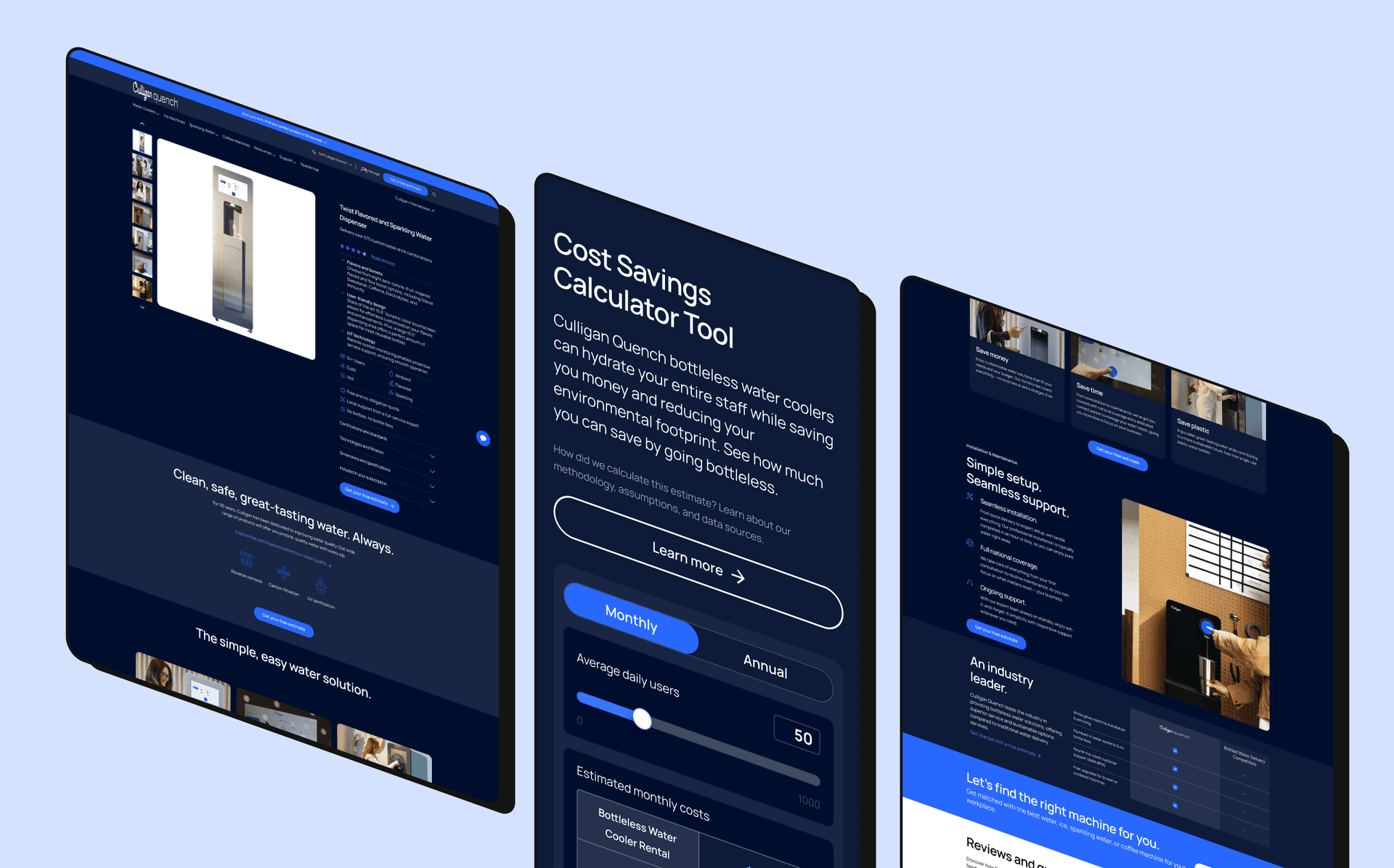
Tinuiti’s CRO team took over Culligan Quench’s conversion testing from a previous agency. Across the homepage, PDP, product quiz, and a new cost-savings calculator, every change traced back to one question from research: how fast can a buyer trust us and see what it will cost?
overview
Culligan Quench sells office water systems: a considered B2B purchase that competes head-on with bottled delivery. Tinuiti already ran Quench’s paid and SEO. The CRO team was cross-sold in to take over conversion testing from a previous agency.
This is an ongoing engagement, not a single redesign. It spans the homepage, PDP, product quiz, and a new cost-savings calculator.
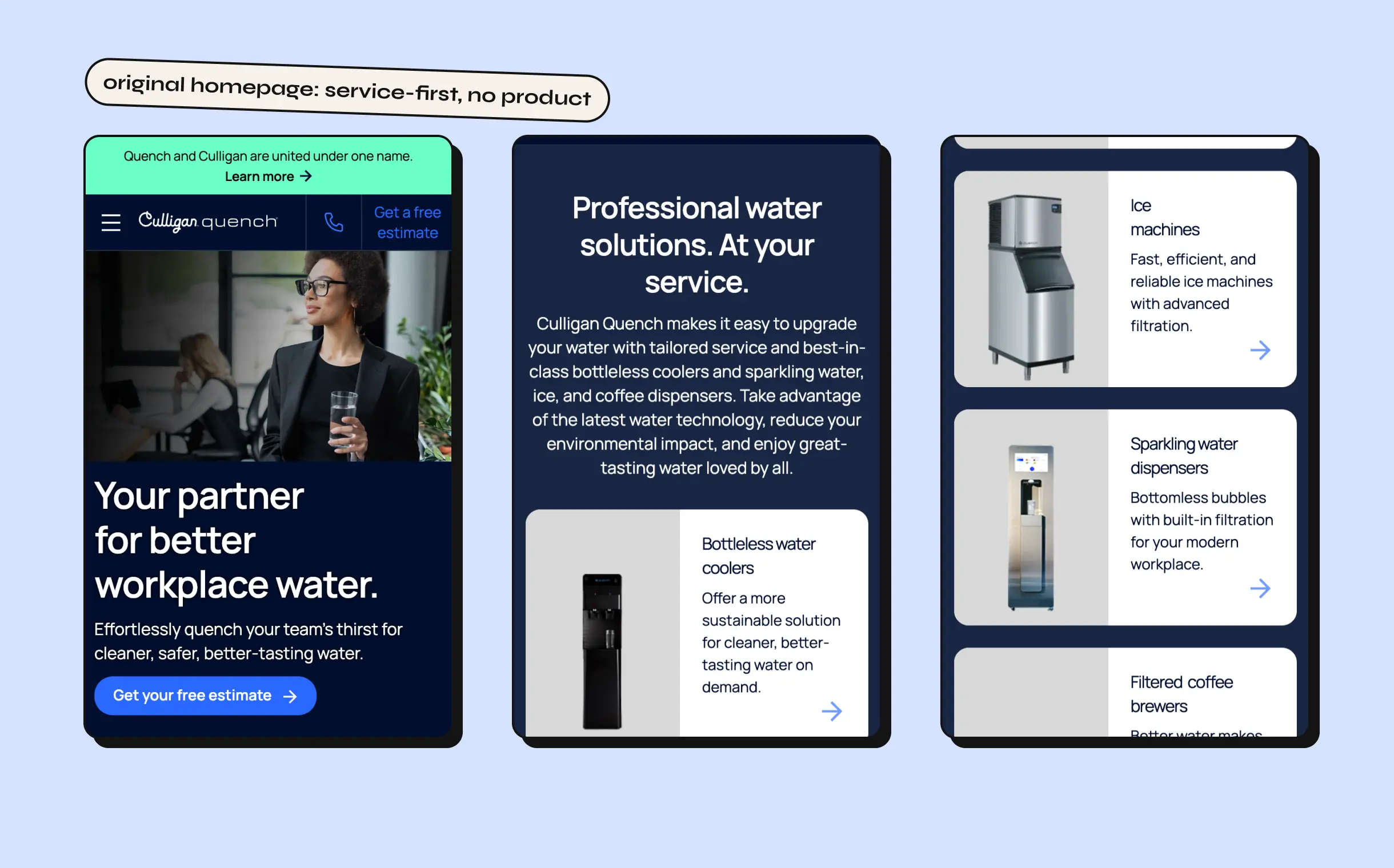
The starting point: the homepage led with service and relationships instead of the product, and no single page did the job of building trust fast.
execution
getting oriented
The first priority was auditing what the previous agency had shipped (homepage, PDP, and landing pages) to set a baseline before any new tests ran. The biggest finding: a homepage hero built entirely around an office and its staff, with no product in it at all.
research, round one
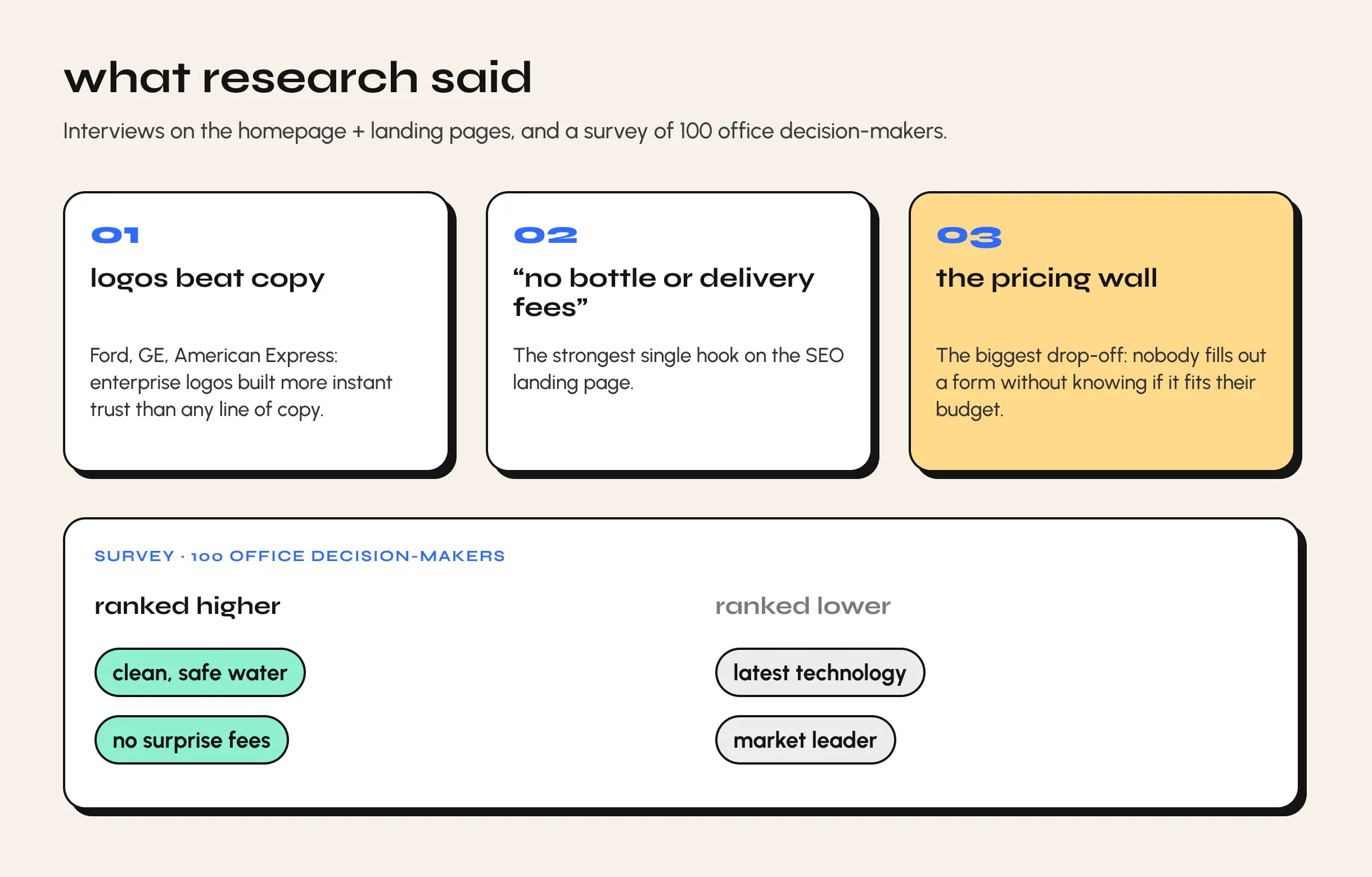
The first interviews covered the homepage, landing pages, and overall look and feel. Three things stood out:
- Logos beat copy. Enterprise customers (Ford, GE, American Express) built more instant trust than any line of copy.
- “No bottle or delivery fees” was the single strongest hook on the SEO landing page.
- The biggest drop-off wasn’t visual. It was the pricing wall. Users wouldn’t fill out a form with no idea whether the product fit their budget.
A parallel survey of 100 office decision-makers confirmed the pattern: “clean, safe water” and “no surprise fees” outranked “latest technology” and “market leader” claims.
research, round two
Once the homepage and landing page work was underway, a second round focused on the product quiz and recommendation flow. Users called the quiz a “shepherd,” welcome guidance through a complex product line. But the results page it led to was missing what they needed to decide: price ranges and review volume.
hero test
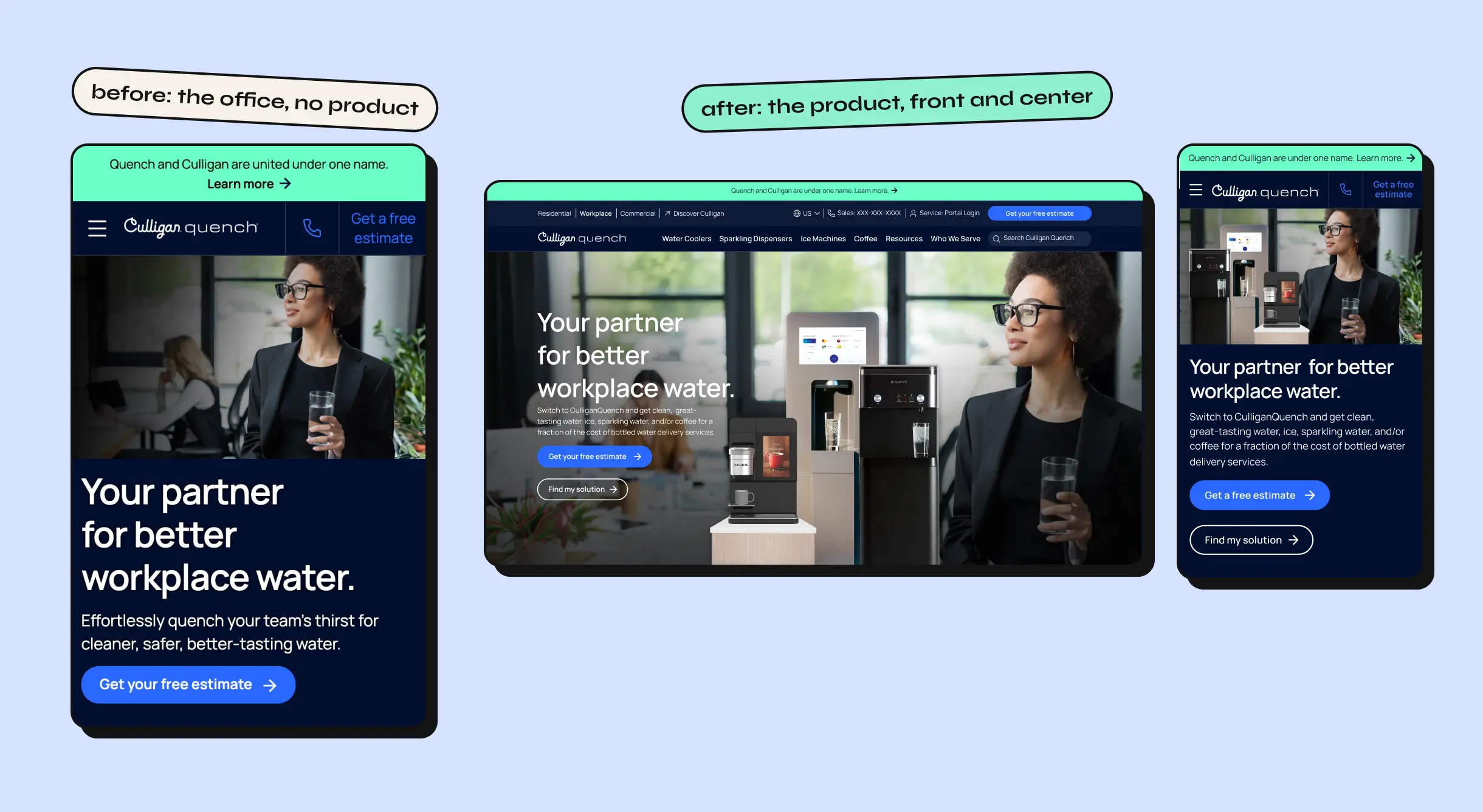
This one answered the audit directly. We tested putting product imagery back into the hero, and it won.
PDP
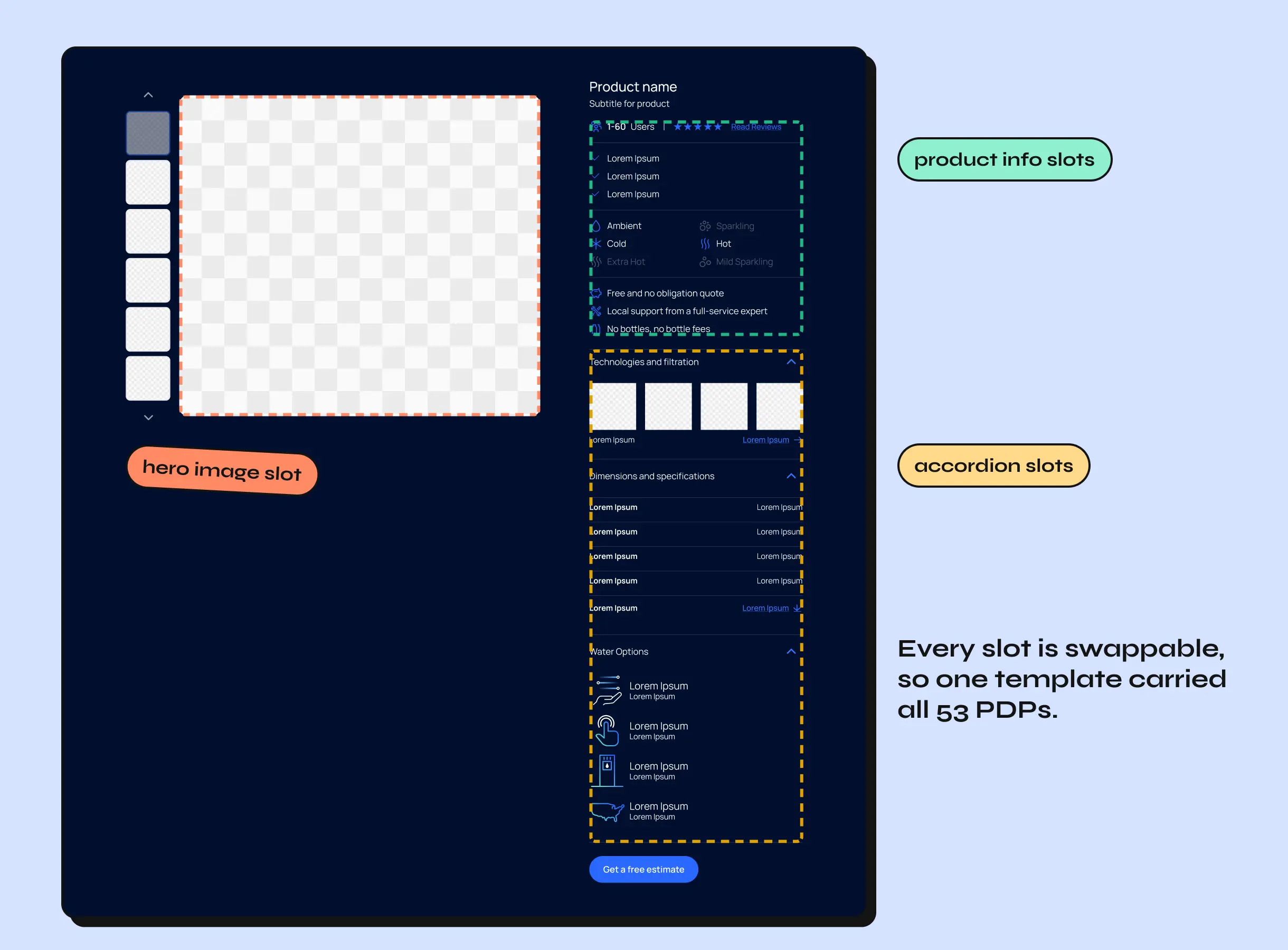
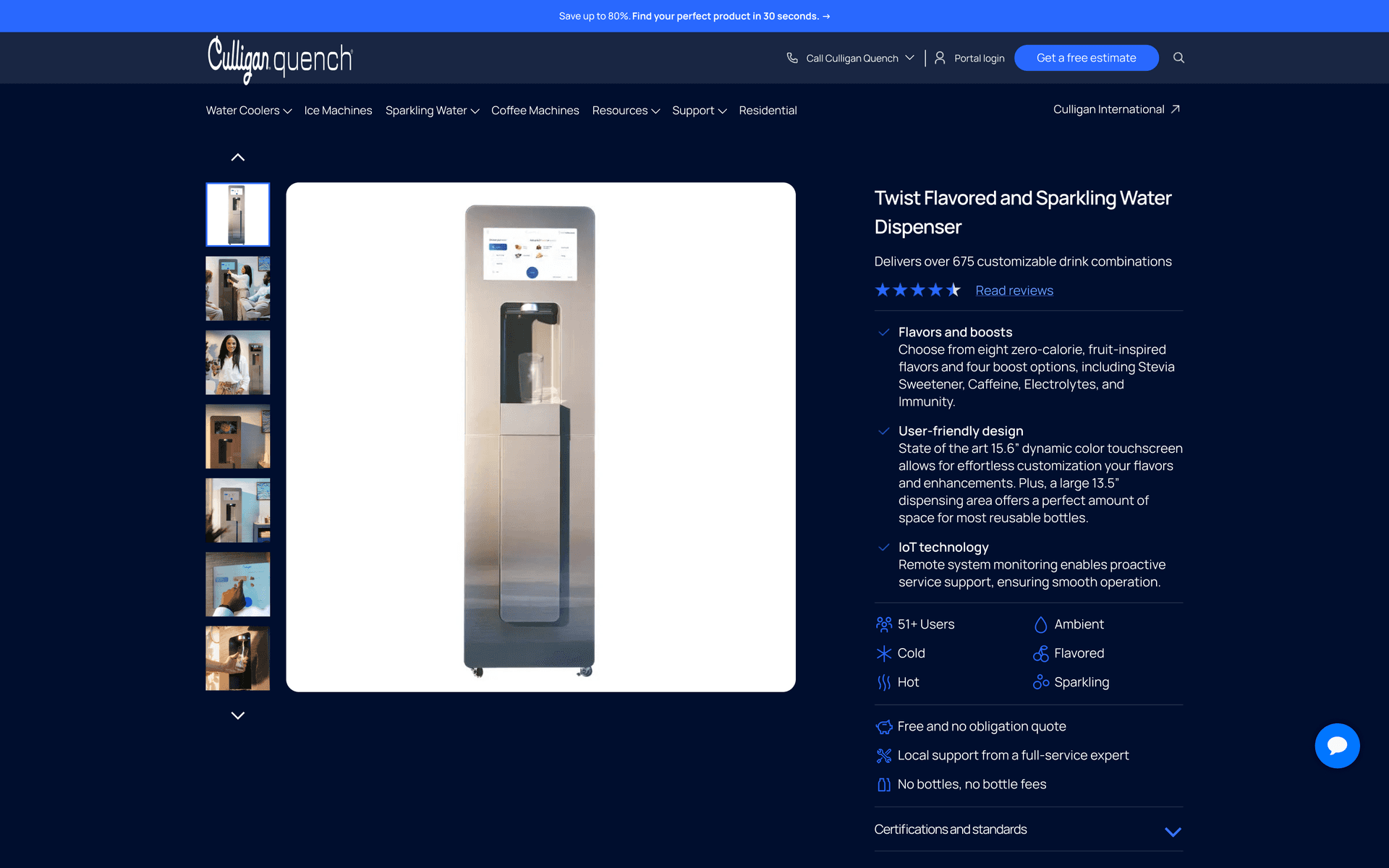
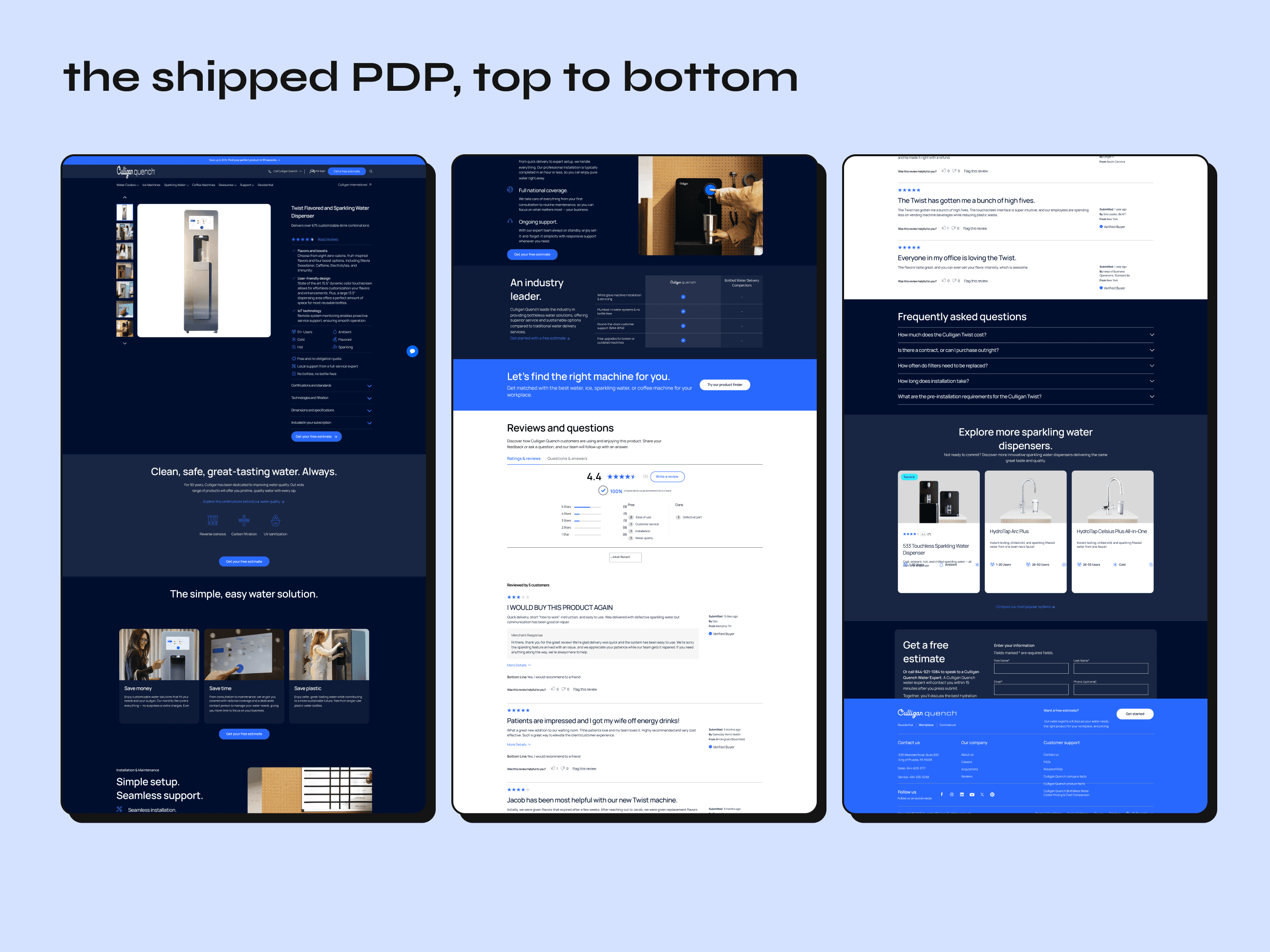
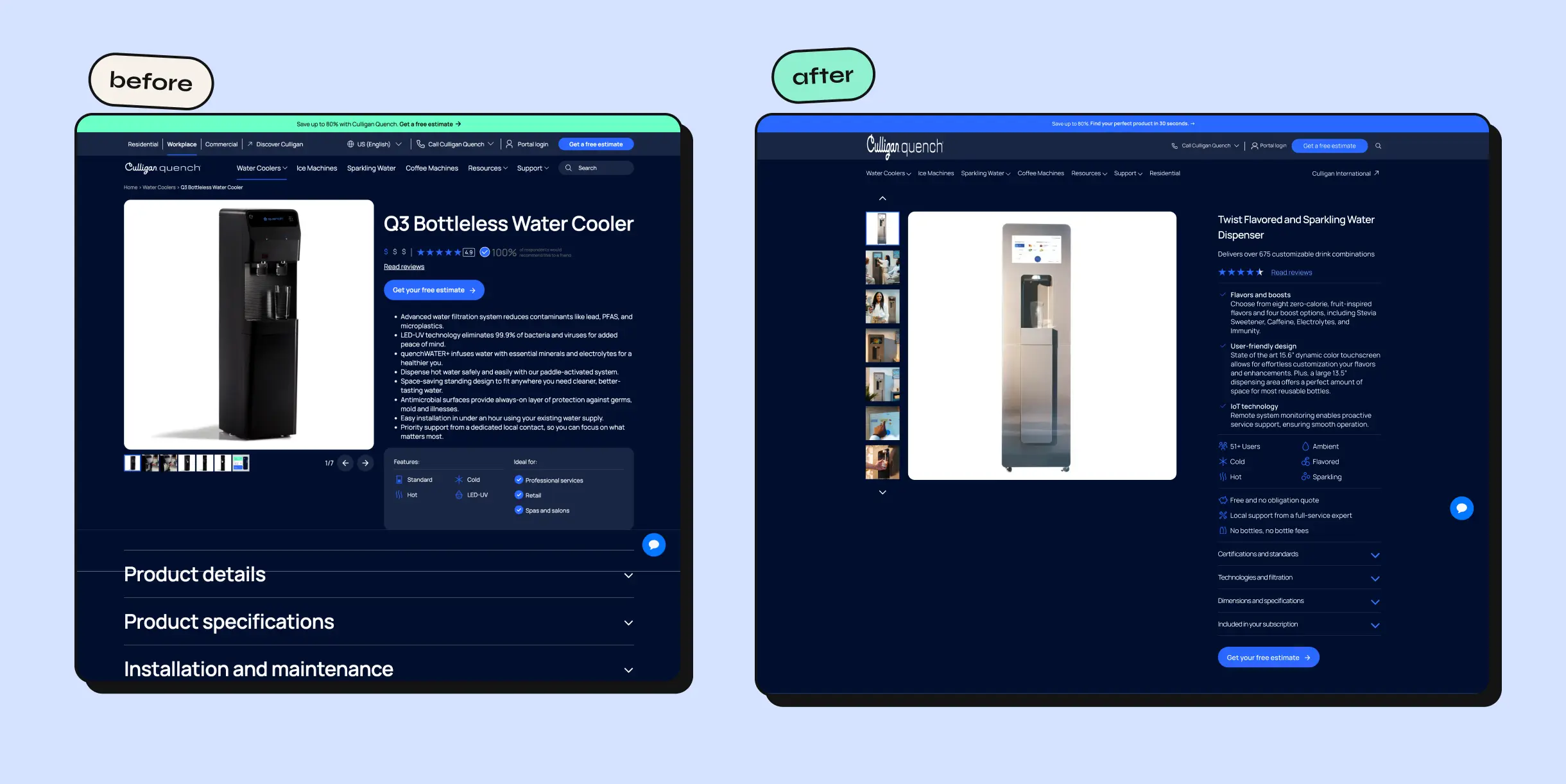
Every change on the PDP mapped to a specific research finding:
- Accordions in the hero condensed details the original page buried below the fold.
- An icon for every value prop added the fast-scan trust signals research showed were missing.
- Filter and qualifier specs gave the technical detail a considered purchase needs.
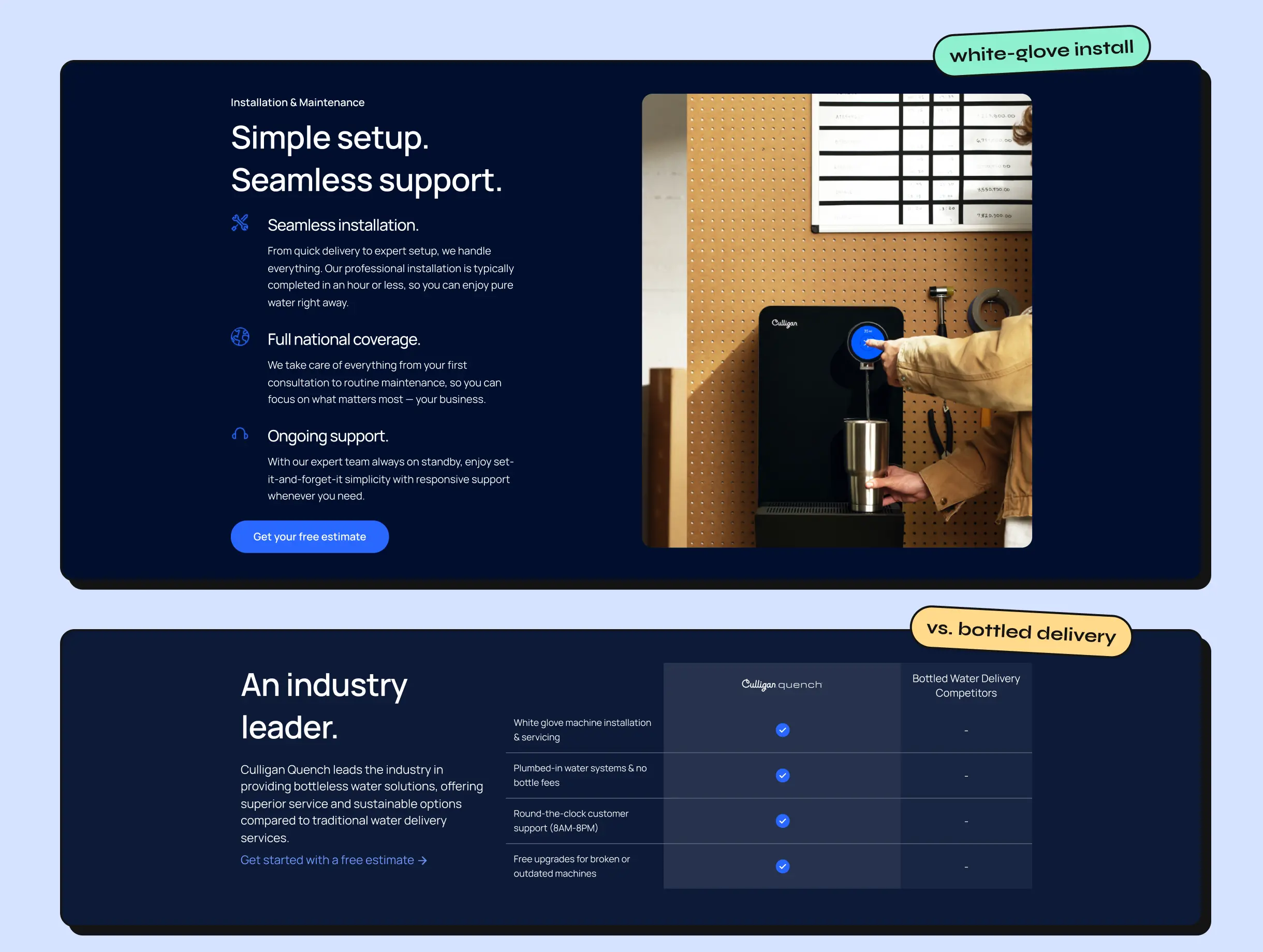
- A white-glove service module and step-by-step installation answered “expert service” and “easy install,” two of the survey’s top priorities.
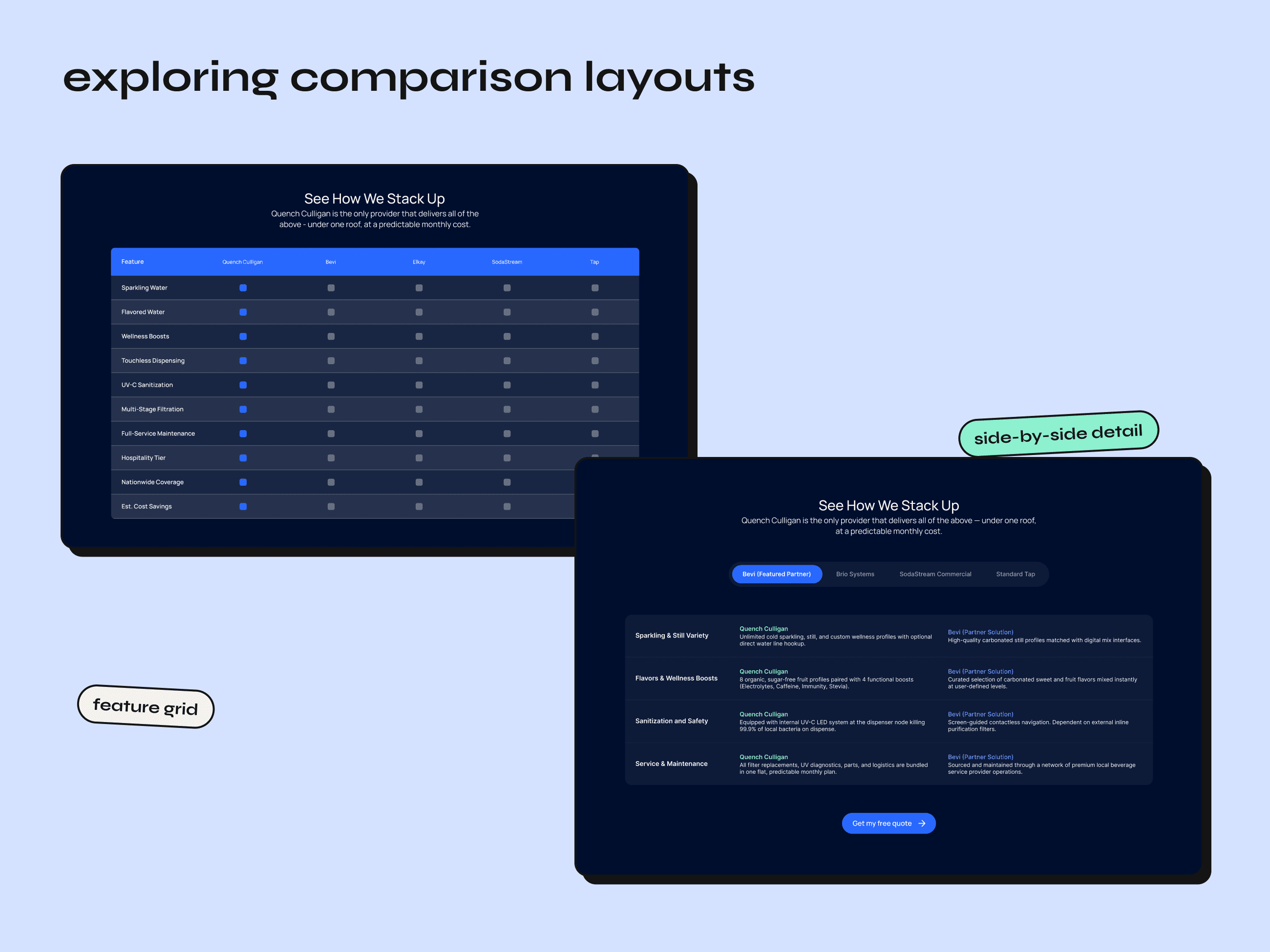
- A comparison table against bottled delivery gave users the comparison they wanted before they ever reached a form.
quiz & recommendation flow
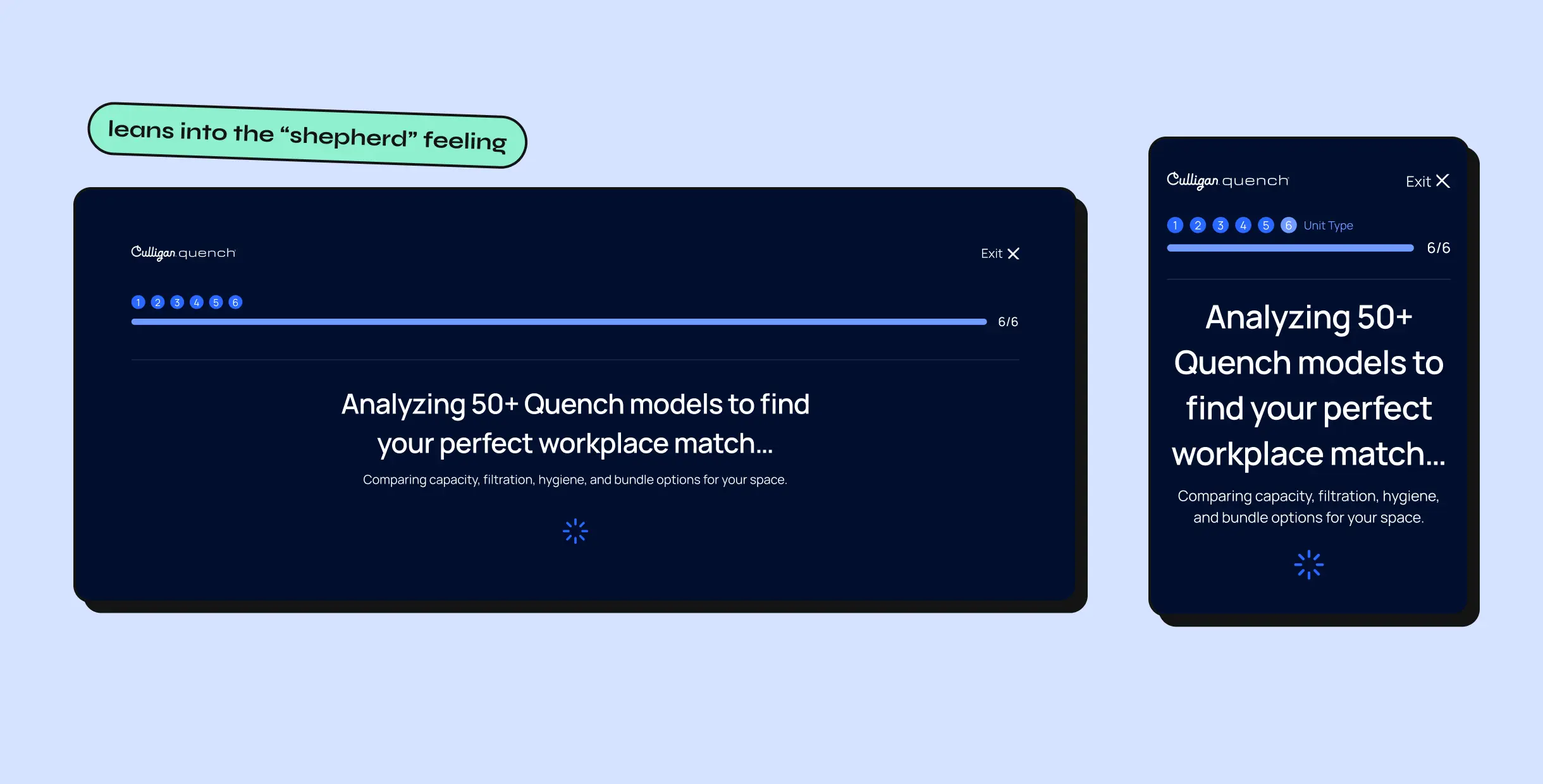
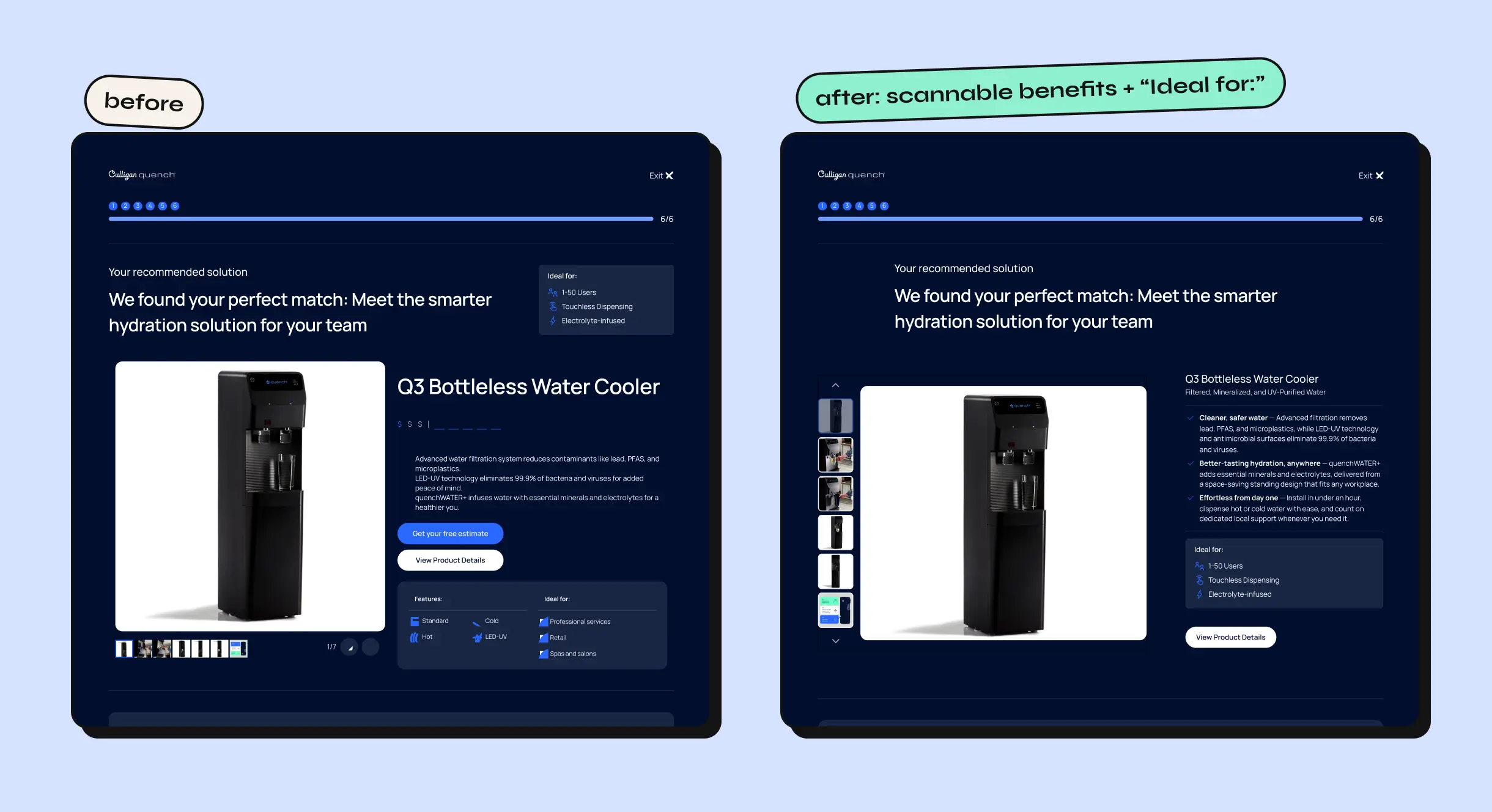
This answered the “shepherd, but incomplete” finding. A scanning transition screen (“Analyzing 50+ Quench models…”) leaned into the guided feeling users already liked. The results page was rebuilt around a structured “Ideal for:” module, with icon-and-label tags for user count, dispensing type, and water type, replacing a dense spec block that was hard to scan.
cost savings calculator
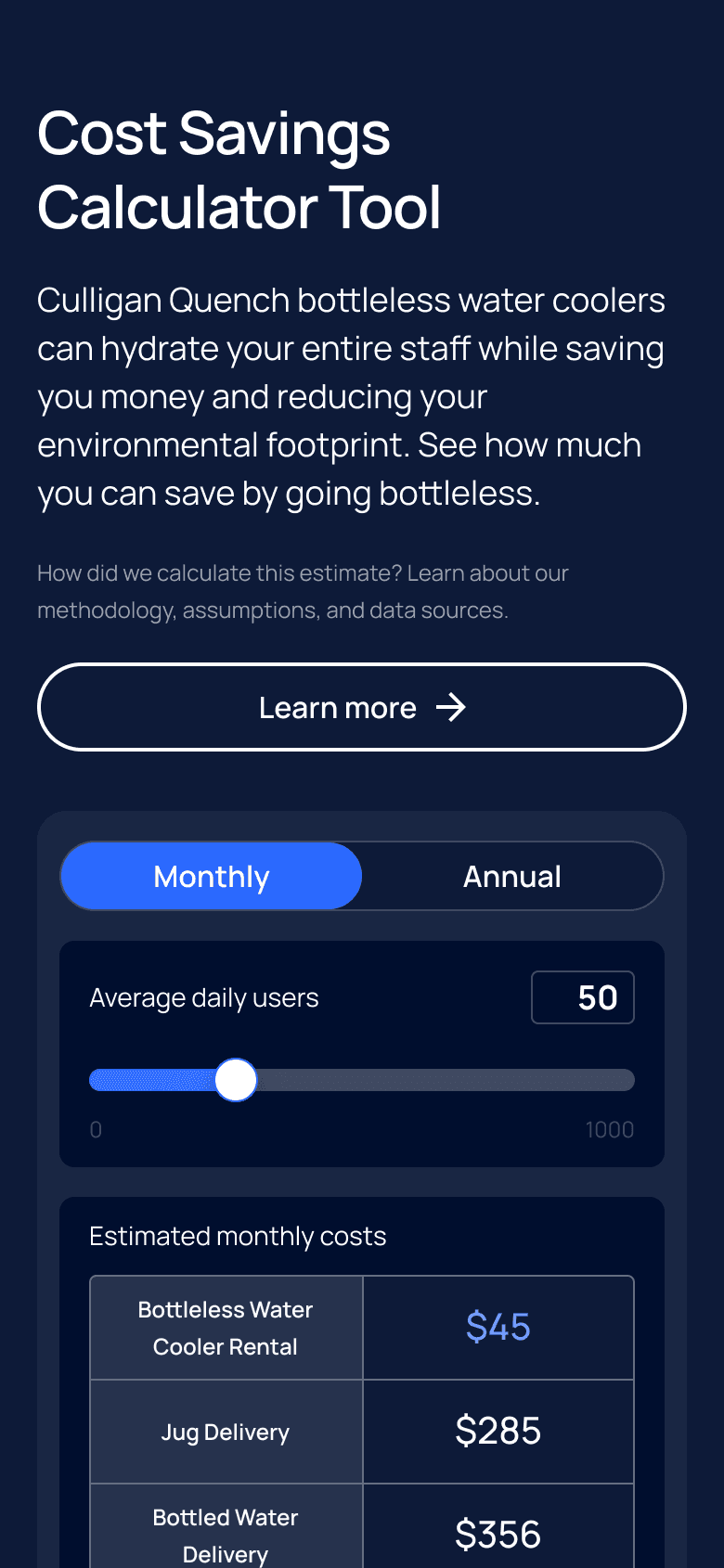
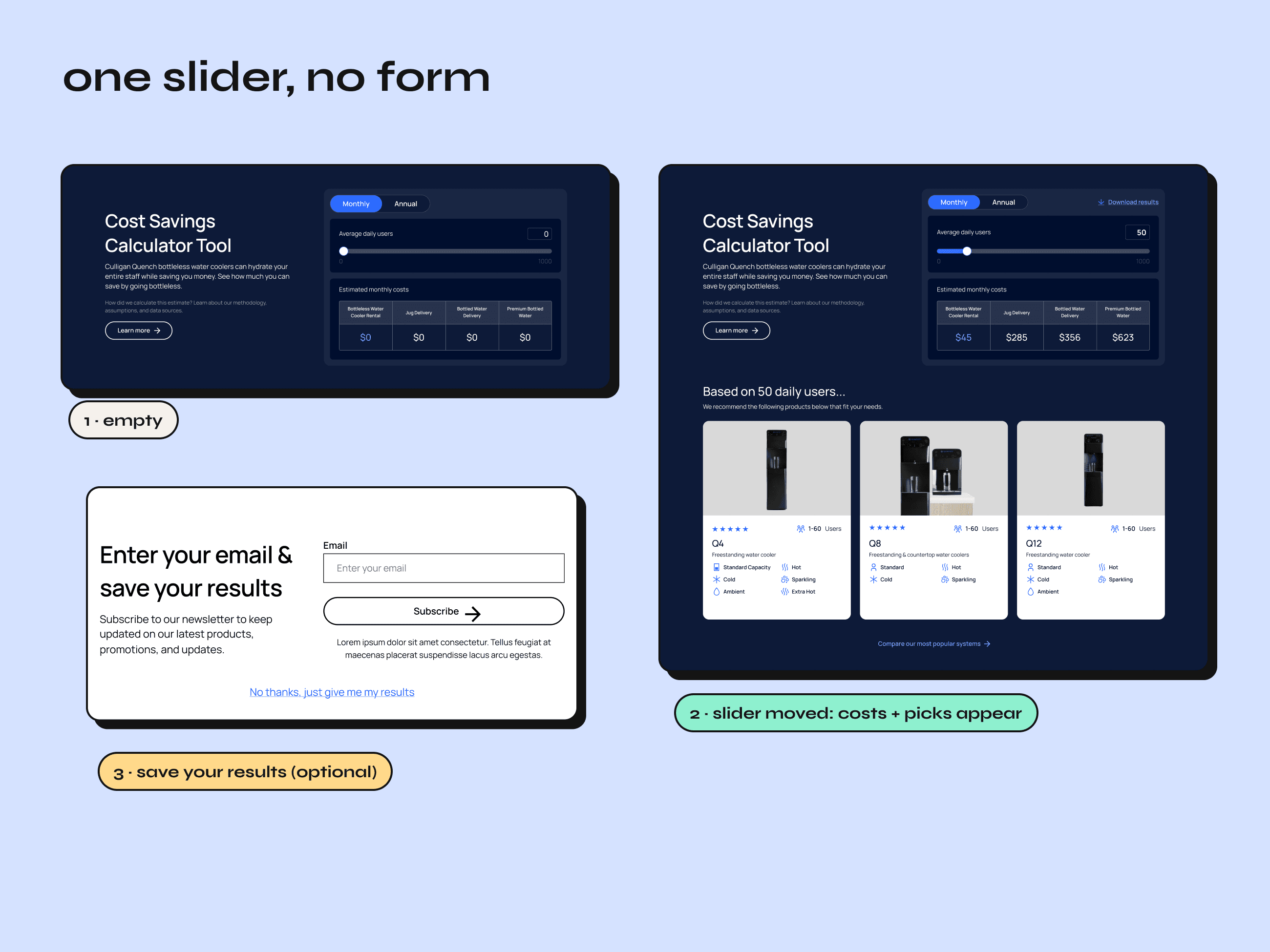
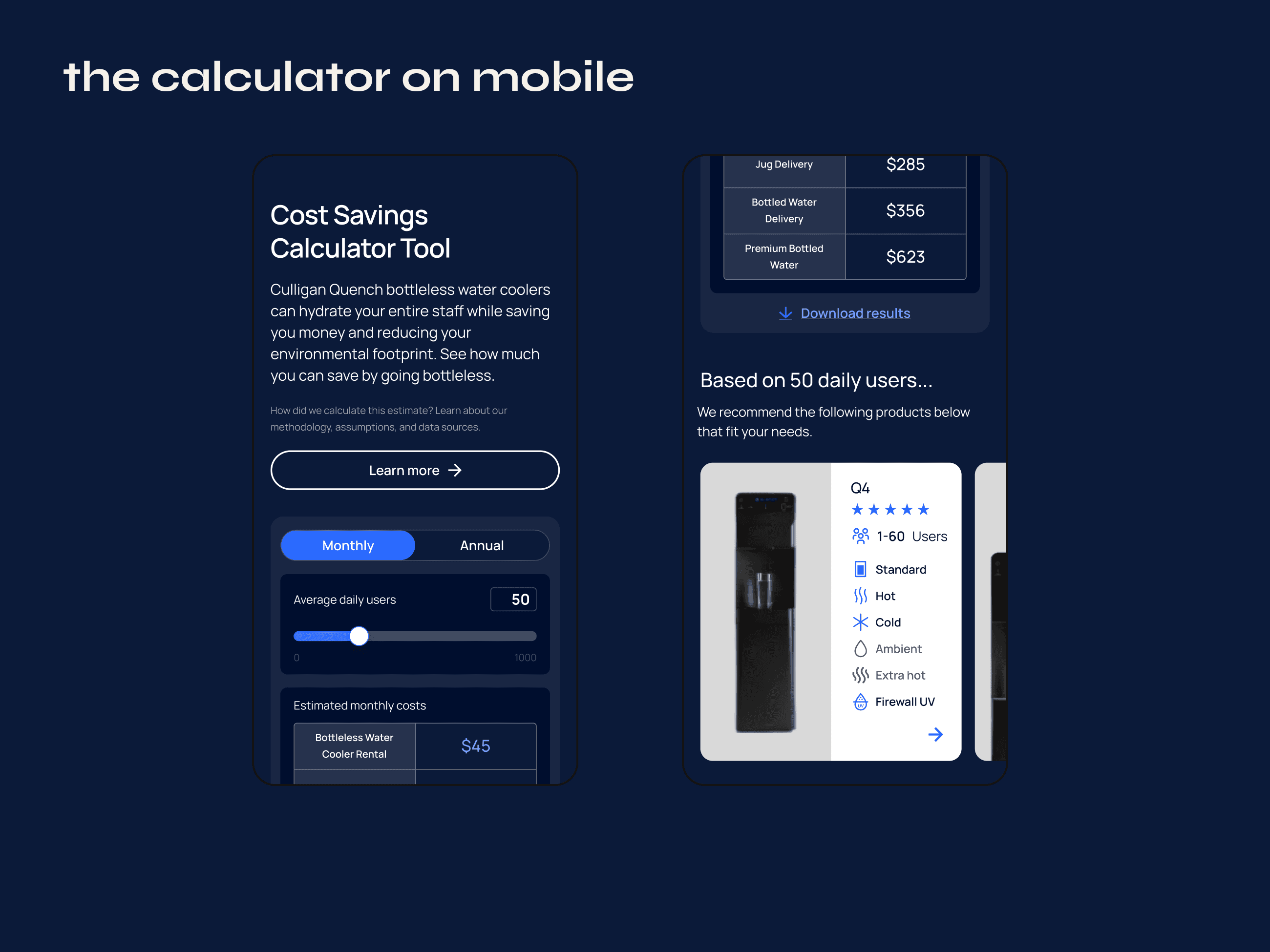
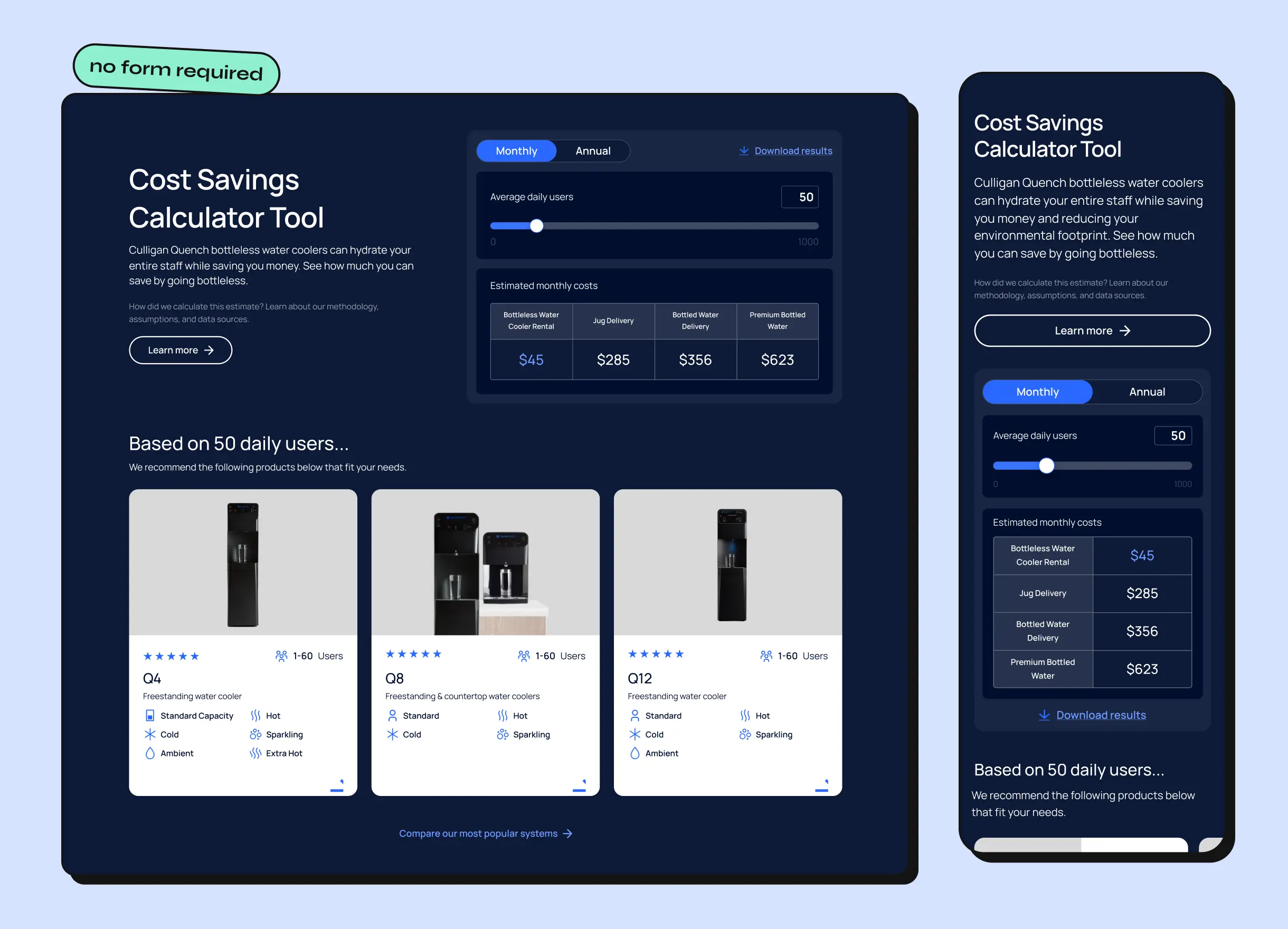
Built to take down the pricing wall entirely. Users drag a slider for their average daily users and instantly see what they’d pay: Culligan vs. jug delivery vs. bottled water delivery vs. premium bottled water. No form required. The same number then drives a recommendation of specific products from the catalog.
homepage
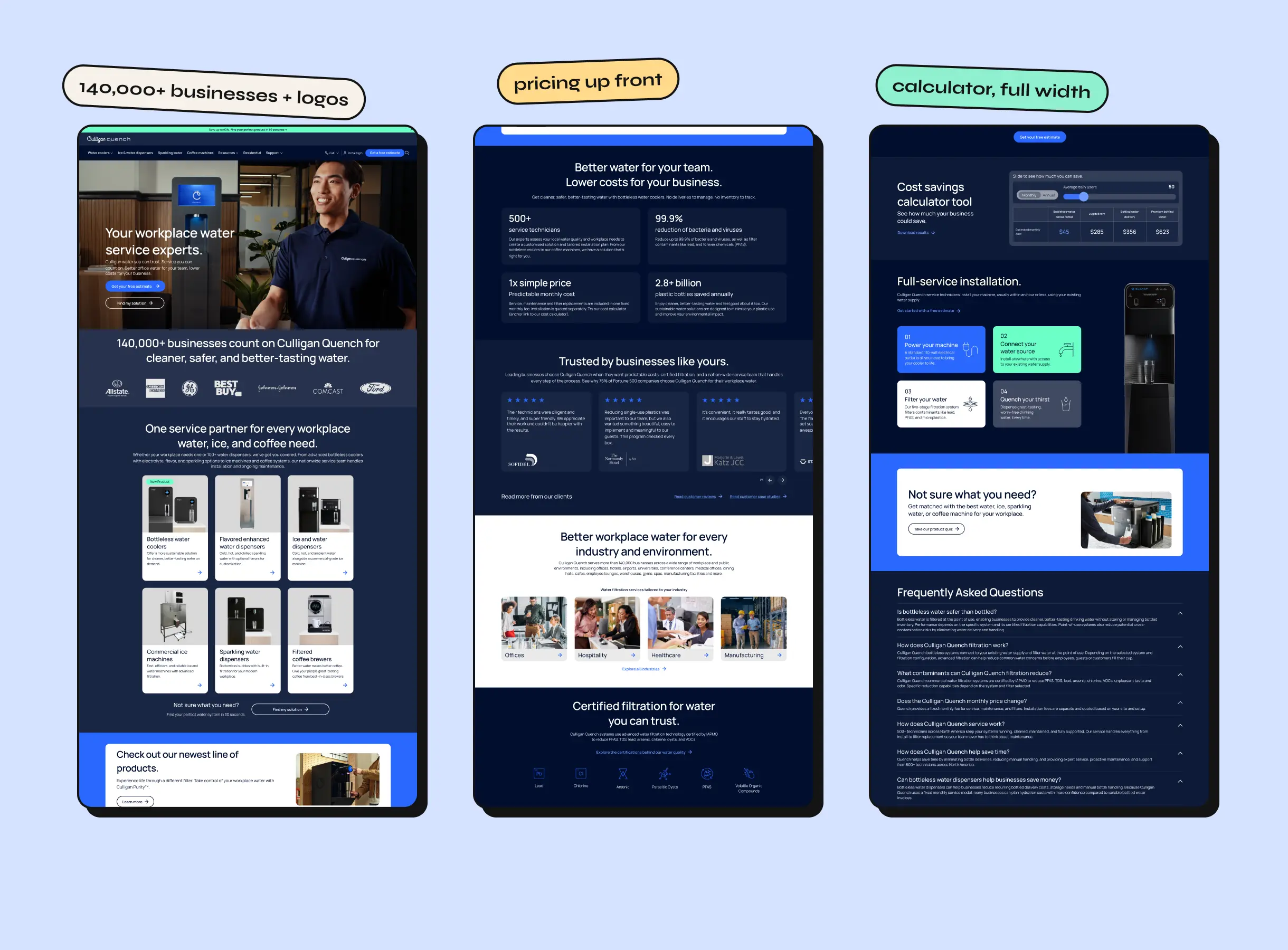
The homepage was rebuilt around the same pricing transparency, and it now carries the most forward pricing message the account has shipped: the calculator embedded full-width, a persistent Culligan-vs-competitor pricing table, trust signals (“140,000+ businesses trust Culligan Quench”), certification badges, and a quiz CTA that routes undecided visitors into the guided flow instead of losing them.
results
- 53 PDPs, one system. The PDP was handed to dev as a slot-based template, with hero, product info, accordion, and image slots all swappable. It rolled out across 53 PDPs with no page-specific rework.
- Testing never stopped. The engagement is ongoing; this is a living CRO program, not a closed project.
- The partnership grew. The work has since expanded into cross-sold projects on other brands in Culligan’s portfolio.
What I’d revisit: the client has since shifted the homepage back toward its original service-first messaging, with mixed results. The winning product-first hero is worth bringing back into the test plan.